
Computer
What is Computer Memory and Types?

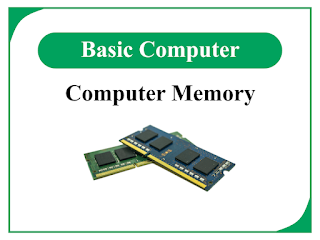
In this article, we will discuss computer memory, its different types and applications, and units of memory measurement. So, let us begin with the basic definition of computer memory.
What is Computer Memory?
The term “memory” denotes the ability of a device to store information. Therefore, the ability of a device or piece of equipment by virtue of which it stores information is called memory.
In computers, memory is one of the most crucial components of the system. In a typical computer system, several types of the memory devices are used such as CD, DVD, HDD, SSD, etc.
Memory is used to store data, instructions, and information in the computer system. Computer memory stores data and information in the digital form, i.e. binary form. The electronic devices of the computer system having memory are said to be memory devices or storage devices.
As we know, a single computer system has different types of memories, which are described in the next sections of this article, hence, the collection of memory devices is referred to as the memory unit or storage unit of the computer.
Types of Computer Memory
In computers, several types of memory devices are used, some of the important and most used memory devices are explained below:
(1). Random Access Memory (RAM):
RAM or Random Access Memory is a type of primary memory in a computer which is used to store data and instructions temporarily. RAM is mainly used to store data which are currently being processed or used by the CPU (Central Processing Unit). In modern computers, RAM used is made up of semiconductors.
The most significant point that we have to remember about RAM is that it is a volatile memory, i.e. data stored in it is lost when the computer is shut down.
Random Access Memory (RAM) is further classified into two types namely, SRAM and DRAM.
SRAM stands for Static Random Access Memory. The cells of SRAM are made up of flip-flops. While DRAM stands for Dynamic Random Access Memory. DRAM is made up of capacitors and transistors. RAM used in most personal computers is the DRAM.
(2). Read-Only Memory (ROM):
As the name implies, Read Only Memory is a type of computer memory used to store data and instructions permanently. ROM is also a type of primary memory. The data and information stored in the ROM cannot be modified. Hence, in computer systems, it is used to store firmware like BIOS (Basic Input Output System). Similar to RAM, ROM is also made up of semiconductors and comes in the form of ICs (Integrated Circuits).
As stated, ROM stores data and information permanently, hence it is a type of non-volatile memory, whose data does not delete when the computer is turned off.
There are several types of ROMs such as PROM (Programmable Read Only Memory), EPROM (Erasable Programmable Memory), and EEPROM (Electrically Erasable Programmable Read Only Memory).
(3). Hard Disk Drive (HDD):
HDD (Hard Disk Drive) is a type of secondary memory. HDD is a type of non-volatile memory used for the permanent storage of information on the computer system. A hard disk drive is made up of non-magnetic circular disks (platters). These platters are coated with a layer of magnetic material which acts as the data storage medium.
HDDs are primarily used to store large volumes of data in computers and laptops. The major disadvantages of HDDs are, they have a shorter life span and slow speed as compared to other modern memory devices.
(4). Solid State Drive (SSD):
Solid State Drive (SSD) is a type of secondary memory. It is a semiconductor memory which makes use of flash chips (integrated circuits) to store data. SSD is a relatively newer technology memory device. In SSDs, there are no mechanical parts like an HDD, hence they have longer lifespans. Also, SSDs have high read/write speeds and consume less power. But, they are more expensive when compared to HDDs for storage capacity.
(5). Cache Memory:
Cache memory is a special type of computer memory. This is used in computers to increase the speed of the system. Cache memory acts as a buffer between the CPU and RAM of the computer. It stores data and programs that are most frequently accessed by the processor. Hence, the primary purpose of using cache memory in a computer is to enhance the system’s performance. Cache memory is basically an SRAM. Hence, it is also a volatile memory.
Units of Measurement for Storage Data
We have several measurement units to measure data stored in computer memory. The measurement units of memory are used to specify the amount of memory space available or consumed by a piece of information. The most common memory measurement units are described below:
| S. No. | Measurement Unit | Description |
| 1. | Bit (Binary Digit) | The bit is the smallest unit of memory measurement. It represents a single binary digit, i.e. a 0 or a 1. |
| 2. | Nibble | 1 Nibble = 4 Bits. Hence, a nibble is a unit of memory that contains four binary digits. For example, 1101 is a group of four bits, thus it is equal to 1 nibble memory size. |
| 3. | Byte (B) | 1 Byte = 8 Bits. Byte is the basic unit used to measure most computer memories. |
| 3. | Kilo Byte (kB) | 1 kB = 210 Bytes = 1024 Bytes. |
| 4. | Mega Byte (MB) | 1 MB = 1024 kB |
| 5. | Giga Byte (GB) | 1 GB = 1024 MB |
| 6. | Tera Byte (TB) | 1 TB = 1024 GB |
| 7. | Peta Byte (PB) | 1 PB = 1024 GB |
| 8. | Exabyte (EB) | 1 EB = 1024 PB |
| 9. | Zettabyte (ZB) | 1 ZB = 1024 EB |
| 10. | Yottabyte (YB) | 1 YB = 1024 ZB |
All these measurement units are used to measure the memory capacity of different types of computer memory such as RAM, ROM, Hard Disks, SSDs, etc.
Hence, this is all about computer memory, types of computers, and units of memory measurement.
In this article, we will discuss the important differences between and insulators, i.e. Conductors vs Insulators. Both and insulators are widely used in electrical and electronic circuits. The main difference between a conductor and an insulator is that conductor allows the flow of electricity through it, while an insulator restricts the flow of electricity through it.
What is a Conductor?
A type of electric material that allows the flow of electric current through it easily is called a conductor. Conductors have a large number of free electrons that can move freely through the body of the conductor material. When an electric voltage is applied across the conductor, it pushes the free electrons to move from negative potential to positive potential and hence results in an electric current flowing from the positive to the negative potential terminal.
All the metals like copper, silver, aluminium, etc. are examples of. Silver is the best conductor of electricity. Overall, are materials that have high electrical conductivity and low electrical resistance.
In electrical and electronics, are used for making electric wires and cables, electric terminals, etc. for carrying electric current from one point to another.
What is an Insulator?
An engineering material that restricts the electric current to flow through it is called an insulator. Therefore, insulators are materials that have low electrical conductivity and high electrical resistance. Insulators do not allow the flow of electric current through them because they do not have free electrons. Therefore, when an electric voltage is applied to it, there is no movement of electrons and hence no current flow.
Rubber, plastic, air, glass, paper, etc. are common examples of insulators. Insulators are used in electric and electronic circuits to prevent leakage of electric current from the conductor to prevent electric shock. Insulators are also used in electric transmission lines to separate line from one another to reduce the risk of electrical hazards.
Now, let us discuss the differences between conductors and insulators.
Difference between Conductors and Insulators
The important differences between conductors and insulators are listed in the following table:
| Basis of Comparison | Conductor | Insulator |
| Definition | A type of material that allows electric current to flow through it easily is called a conductor. | A type of material that restricts the electric current to flow through it is called an insulator. |
| Free electrons | Conductors have a large volume of free electrons. | Insulators do not have free electrons. |
| Electrical resistance & resistivity | have low electrical resistance and resistivity. | Insulators have high electrical resistance and resistivity. |
| Electrical conductance & conductivity | Conductors have high conductance and conductivity. | Insulators have low conductance and conductivity. |
| Valance electrons | Conductors have less than 4 valance electrons. | Insulators have greater than 4 valance electrons. |
| Energy band gap | Conductors have no energy band gap. | Insulators have a very large energy band gap. |
| Temperature coefficient of resistance | The temperature coefficient of resistance for is positive. Thus, the resistance of increases with the rise in temperature. | The temperature coefficient of resistance for insulators is negative. Thus, the resistance of insulators decreases with the rise in temperature. |
| Conduction band | In conductors, the conduction band is completely filled with electrons. | In insulators, the conductor band remains empty. |
| Valance band | In conductors, the valance band remains empty. | In insulators, the valance band is completely filled with electrons. |
| Capacitance | The capacitance on the surface of a conductor remains the same at all points. | The capacitance in an insulator remains zero. |
| Dielectric strength | Conductors have very low dielectric strength. | Insulators have very high dielectric strength. |
| Contact resistance | The contact resistance of conductors is low. | The contact resistance of insulators is high. |
| Thermal conductivity | Conductors have high thermal conductivity, i.e. allow heat flow. | Insulators have low thermal conductivity. |
| Behavior at 0 Kelvin | Conductors act like a superconductor at zero kelvin. | Insulators act like perfect insulators at zero kelvin. |
| Type of bonding | Conductors have metallic bonding. | Insulators have ionic bonding. |
| Examples | Silver, copper, aluminum, and other metals are examples of conductors. | Air, glass, plastic, rubber, PVC, wood, etc. are examples of insulators. |
| Applications | Conductors are used for making electric wires, cables, terminals, etc. | Insulators are used for making electrical safety equipment, line insulators, wire coatings, etc. |
Conclusion
In conclusion, this is all about the important differences between and insulators. Both conductors and insulators are significant materials used in electrical and electronics.
In this article, we shall learn about computer software, its definition and different types of computer software.
What is Computer Software?
We perform different tasks and processes with the help of computers. In a computer, all these tasks and processes are performed with the help of computer software, which is stored in a memory device of a computer system.
Computer software is basically a set of computer programs which is designed for a specific purpose. A computer program is a set of computer instructions which are written using a computer programming language.
Computer software is of two types namely:
- System Software
- Application Software
What is System Software?
System software is a type of computer software that is designed to make the computer hardware functional. The system software operates, controls and extends the processing capabilities of a computer system.
The system software first exchanges the information with the user of the computer and then instructs the application software and computer hardware to perform the task. The system software helps the computer system to manage its internal resources. System software is not just a single software instead it is a set of different software components like operating system, device drivers, language processors, etc.
The instruction sets of the system software are written in low-level programming languages so that this software can interact with the computer hardware at a very basic level. The system software performs the following three important functions:
- The system software makes the hardware parts functional.
- The system software creates an interface between the machine and the user.
- The system software manages all the resources of the computer system.
Characteristics of System Software
The most important characteristics of the system software of a computer system are as:
- The system software is very difficult to design and understand.
- The system software is very close to the system hardware because it is written in low-level languages.
- The system software is very fast in speed.
- It is quite difficult to manipulate the system software.
- The system software is less interactive.
- The system software is comparatively smaller in size.
Important Components of System Software
(1). Operating System
An operating system is a type of system software or more specifically it is the most fundamental and important segment of system software of the computer. The operating system creates an interface between the hardware and the end user of the computer. It manages all the resources such as CPU, memory, input devices, output devices, etc. of the computer. It also provides the necessary services for controlling and monitoring the execution of other computer programs and software.
The major functions that an operating system of a computer performs are memory management, process management, file management, job scheduling, device management, security, etc. Depending on the interface created, the operating systems are classified into two types namely GUI (Graphical User Interface) Operating Systems and CLI (Command Line Interface) Operating Systems.
Some popular examples of computer operating systems are Windows operating system, Linux operating system, UNIX operating system, etc.
(2). Device Drivers
A device driver is a type of system software of a computer that operates, monitors and controls a specific hardware device attached to the computer system. The device driver basically provides the necessary information about a device attached to a computer to the operating system so that the operating system can effectively use it.
(3). Language Processor
The types of system software that are used for converting computer instructions and programs written in assembly and other high-level programming languages into low-level languages are known as language processors.
There are three main types of language processors available, which are given as follows:
- Assembler – A type of language processor which converts assembly-coded programs into machine language programs.
- Interpreter – A type of language processor which converts high-level language programs into machine-level language programs, but line by line.
- Compiler – A type of language processor which converts a high-level language program into a machine-level language program, and it converts the whole program at once.
What is Applications Software?
Application software is a type of computer software which is specially designed to perform a particular task. The application software is optimized to effectively perform the task for which they are designed.
The application software is mainly designed to use by the end users of a computer. At present, in computer and information technology, application software is also known as applications or apps. Most application software performs a single task, for example, video editing software is a type of application software that is designed for video editing and processing only.
Application software can consist of a single computer program or it can also be a collection of several computer programs. The collection of application programs is often called a software package and these programs work together to accomplish a specific task.
Characteristics of Application Software
The following are the important characteristics of the application software:
- The application software is close to the end user of the computer.
- The designing and understanding of application software are quite easy.
- The application software is more interactive than the system software.
- The speed of application software is slow.
- The manipulation and use of application software are easy.
- The application software requires a large space for storage.
- The application software is generally written in high-level computer programming languages.
Popular examples of application software are MS Word, MS Excel, MS PowerPoint, database management systems (DBMS), payroll software, accounting software, inventory management systems, etc.
Conclusion
In this article, we discussed computer software, its types and the characteristics of different types of computer software. From the above discussion, we can conclude that computer software is a set of computer programs where the computer program is in turn a set of computer instructions. Computer software is majorly classified into two types namely system software and application software.
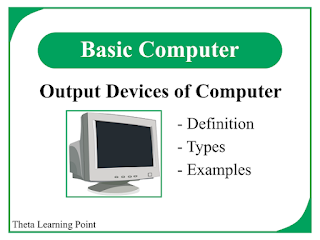
In this article, we shall discuss different types of output devices of computers along with their definition and functions.
What is an Output Device?
A computer hardware device which is used to supply the information produced by the computer to the outside world in the desired format is known as the output device.
In other words, an output device is the peripheral device of the computer which receives processed data or information from the computer and represents it in the user-understandable form is called an output device. The output produced by the device may be an image, video, audio or hard copy, etc. depending on the type of output device.
In modern computer systems, several different types of output devices are used. The collection of output devices of the computer is called the output unit.
Functions of Output Device
An output device of the computer performs the following three major functions:
- It accepts the processed data or information from the CPU of the computer system in binary form.
- It converts the information in binary form into a human-understandable format.
- It supplies the information to the outside world or to the user in the form of audio, video, image, printed data, etc.
Different Output Devices of Computer
The following are the most common output devices that are widely used to supply information from the computer the users:
- Monitor
- Printer
- Plotter
- Projector
- Speaker
Monitor
A computer monitor is one of the most important and widely used output devices of a computer system. It displays the soft copy of the information on the monitor screen which can be seen and read by the user.
The monitor is also known as VDU (Visual Display Unit). A monitor can display the information in any format like text, image, video, audio, etc. A monitor forms the images and patterns on the screen by arranging small dots in a rectangular pattern. These small dots are known as pixels. The quality, i.e. sharpness of an image on the screen is determined by the number of small dots (or pixels), which means the sharpness of the image increases with the increase in the number of pixels.
Depending on the type of viewing screen, the computer monitors are classified into the following two types:
- CRT (Cathode Ray Tube) Monitor
- Flat Panel Monitor
CRT Monitor
The CRT (Cathode Ray Tube) monitor is the type of computer monitor whose working is based on the working principle of a cathode ray tube. In a CRT monitor, the cathode ray tube is used to generate a beam of high-energy electrons. The part of CRT which emits the electrons is known as an electron gun. These high-energy electrons are guided by electrostatic fields and strike the surface of a fluorescent screen to generate the images on the screen.
In the CRT monitors, there are millions of phosphor dots (pixels) of three primary colors namely red, green and blue present. These RGB dots glow when the electron beam struck on them to create an image on the screen.
The major parts of a typical CRT monitor are CRT, fluorescent screen, glass envelope, and deflection plates. The main disadvantages of CRT monitors are high power consumption, large physical size and low picture quality. Therefore, CRT monitors are rarely used these days.
Flat Panel Monitor
Flat panel monitors are those computer monitors that have less weight, volume and power as compared to the CRT monitor. The flat panel monitor has a thin display screen so these can also be hung on the wall. Depending on the technology used, the flat panel monitors can be further classified into two types:
- Non-Emissive Display Monitors – In these monitors, the optical effect such as reflection, refraction, and scattering are used to convert the light from some source like an LED bulb into graphics patterns. The most common examples of non-emissive display monitors are LCD (Liquid Crystal Display) monitors.
- Emissive Display Monitors – Emissive display monitors are those in which electrical energy is directly converted into light and then graphics patterns. The most common example of an emissive display monitor is an LED (Light Emitting Diode) monitor.
The advantages of flat panel monitors over CRT monitors are that these monitors are smaller in size, consume less power, produce high-quality graphics, etc. Therefore, these types of monitors are very popular these days.
Printer
A printer is an output device used with computers or other computing devices to produce processed data and information on paper. The printers produce output in a permanent readable format. Hence, the output of the printer is sometimes called a hard copy. The quality of output produced by the printer is measured in DPI (Dots Per Inch).
Types of Printers
The classification of printers is given as follows:
- Impact Printers
- Character Printer
- Dot Matrix Printer (DMP)
- Daisy Wheel Printer
- Line Printer
- Drum Printer
- Chain Printer
- Character Printer
- Non-Impact Printers
- LASER Printer
- Inkjet Printer
- Thermal Printer
Impact Printers
Impact printers are the types of printers in which patterns (text, symbols, etc.) are printed by striking them on a ribbon, which is then pressed on a paper placed behind the ribbon. Since these printers consist of moving parts, hence their operation is very noisy.
The following are some important characteristics of impact printers:
- Impact printers require physical contact with the paper to print the information.
- The printing cost for the impact printers is very low.
- Due to low cost, these are suitable for bulk printing.
Character Printers
The type of impact printer which prints only one character at a time is called a character printer. Character printers are of two types namely, dot matrix printers and daisy wheel printers.
Line Printers
The type of impact printer which prints one line at a time is known as a line printer. The line printers are also of two types namely, drum printers and chain printers.
Dot Matrix Printer
The dot matrix printer or DMP is a type of character printer which prints the characters in the form of dotted patterns. The dot matrix printers are widely used because their operation is easy and economical. The printing head of dot matrix printers is made of tiny electromagnetically active pins which print the characters by striking on an ink-coated ribbon. However, the major disadvantages of dot matrix printers are slow speed, noisy operation and poor print quality.
Daisy Wheel Printer
The daisy wheel printer is also a type of character printer whose printing head resembles a daisy flower. Its head consists of pins of corresponding characters and is attached to a wheel in the form of the petals of a daisy flower.
The daisy wheel printers are more reliable than dot matrix printers because these produce prints of relatively better quality. Another major advantage of daisy wheel printers is that their fonts of character sets can be easily altered. Although, these are comparatively slower and more expensive than the dot matrix printers. The operation of these printers is also very noisy.
Drum Printer
The drum printer is a type of line printer that can print one line of information at a time. It is named so because its printing head is in the form of a drum. Since the drum printer can print one line at a time hence their speed is very high. Although, these are very expensive and also the change in the fonts of character sets is not possible. The drum printers can print around 200 to 2000 lines in one minute.
Chain Printer
The chain printer is again a type of line printer. Its printing head is in the form of a chain, i.e. it has a chain of character sets. In the case of chain printers, the fonts of character sets can be changed easily. Consequently, the printing of different languages is possible with the same printer. Although, the operation of the chain printer is also noisy.
Non-Impact Printers
As the name implies, the types of printers in which characters and graphics are printed without using the ribbon and hammer assembly are known as impact printers. All the impact printers are the types of page printers because they print a complete at a time. That is why these are sometimes also called page printers.
The speed of the non-impact printer is more than that of the impact printer as this print one page at a time. The other advantages of a non-impact printer are less noisy operation, high-quality prints, and support for a large number of fonts and character sizes.
Laser Printer
Laser printers are types of non-impact printers. These use laser technology to produce the graphics on paper. A LASER printer consists of a drum coated with a photosensitive material which is charged, and then the laser light is used to make the graphic pattern on the drum. This drum then rotates through the drum tonner, where the tonner is the dry ink and the toner is then fused to the paper due to heat in the pattern of graphics. The laser printers produce monochromatic (usually back-colored) prints only. The speed of laser printers is measured in ppm (pages per minute). The laser printers produce good-quality prints and their operation is noise free. However, the initial cost of a laser printer is high. These are suitable for commercial and large-scale printing due to low operating costs.
Inkjet Printer
The inkjet printer prints the graphics patterns on the paper by spraying tiny drops of wet ink. These printers can produce back-and-white as well as colored prints by using a mixture of different inks.
Inkjet printers are less costly but their operating cost is comparatively higher than laser printers. Therefore, these printers are more suitable for small-scale printing such as for student and personal purposes.
Thermal Printer
A thermal printer is a special type of printer which uses heat elements to print graphics on special paper. The paper used in thermal printers is heat-sensitive paper, commonly called thermal paper. The printing cost of thermal printers is very high, as a result, these are used for printing professional art and designs. Thermal printers are also used in ATM machines or POS terminals for printing receipts.
Plotter
The plotter is a special type of printer which is mainly used to print high-quality graphics of engineering such as vector graphics, building plans, circuit diagrams, etc. These printers use ink pens or inkjet to print the graphic patterns. The two common types of plotters are namely drum plotters and flatbed plotters.
Projector
Projector also called a multimedia projector, is an output device which projects or displays the outputs of a computer on a large screen. It is mainly used to display the output to a large audience such as in meetings and conferences.
Speaker
A speaker is also a type of output device used to supply the output information produced by the computer to the outside world in the form of audio signals. The speaker consists of audio amplifiers that vibrate to produce audio signals as output.
Conclusion
Thus, in this article, we discussed all the common output devices of computers along with their definition, working, advantages and applications. However, at present many more output devices are used with computers such as headphones, touchscreens, etc. The important thing to remember always is that output devices supply the information generated by the computer to the outside world in the desired format.
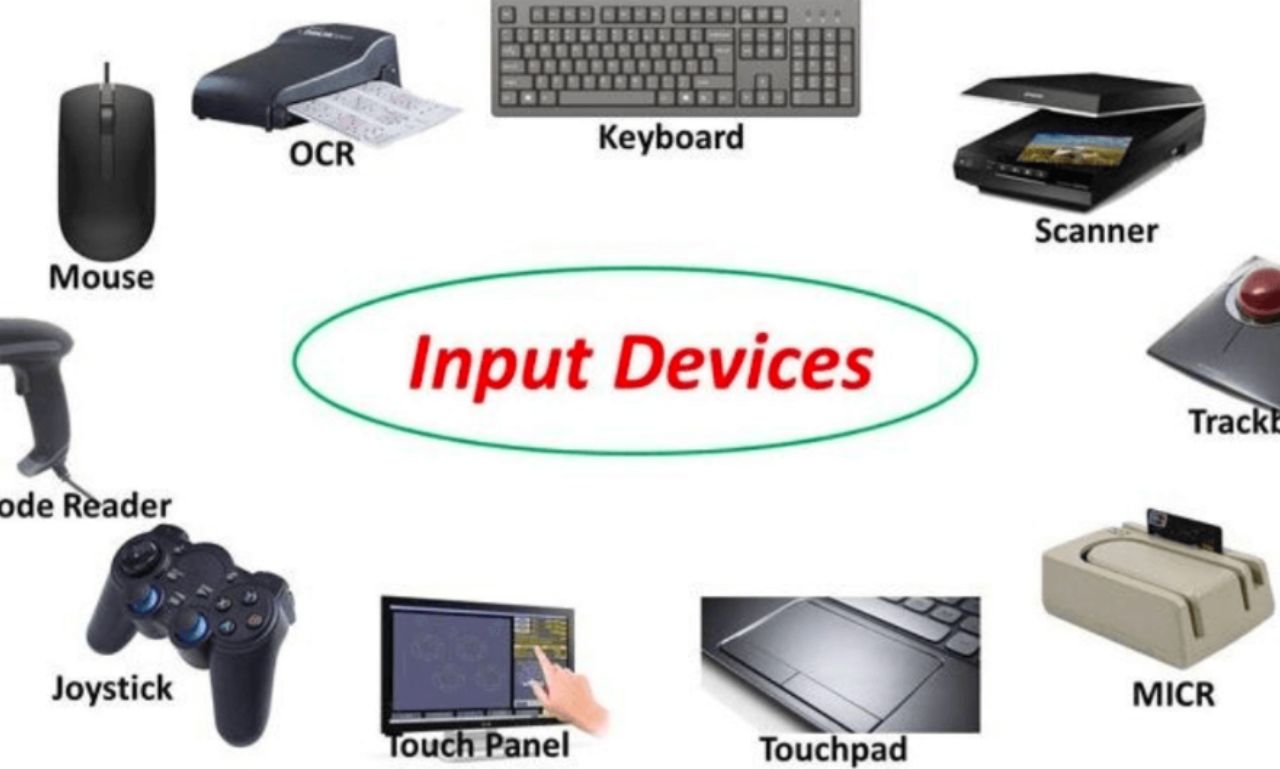
In this article, we shall learn about different types of input devices of computers along with their functions. The input devices are the hardware parts of a computer, i.e. these are the physical parts of the computer which are tangible and visible.
What is an Input Device?
A computer device which is used to enter the data and instructions into the computer is known as an input device. The input devices of a computer accept the data and instructions from the user and convert these data and instructions into a machine-readable form before sending them into the computer system.
The input devices of the computer act like an interface between the machine and the user so that the user can communicate with the computer easily. Since we have a large number of input devices, thus, the collection of input devices is known as the input unit. Common examples of input devices are a keyboard, mouse, scanner, joystick, light pen, etc.
Functions of an Input Device
A typical input device of a computer performs three major functions:
- The input device accepts data and instructions from the user or the outside world.
- It transforms the data and information from the user’s language into the language of the computer, i.e. binary language.
- It sends the binary-coded data and instructions into the computer system for further processing.
Hence, it is clear that a computer understands binary language only. Therefore, the input devices are entirely responsible for the conversion of data and instruction in a form that a computer can understand easily.
Types of Input Devices
In a computer system, several types of input devices are used to perform different functions. Some important computer input devices and their functions are described as follows:
Keyboard
A computer keyboard is an input device that is used to enter the alphanumeric (alphabets, numbers and special characters) data into the computer. A typical keyboard has alphabetic and numeric keys for entering text and numeric data into the computer. Although, there are several other types of keys also available in a keyboard to perform different functions.
In a modern computer, the keyboard is connected to the computer either by USB (Universal Serial Bus) cable or through Bluetooth connectivity.
The different types of keys of a keyboard are described as follows:
- Typing keys – The typing is used to enter text and numbers into the computer. These keys include letters A to Z and the number keys 0 to 9.
- Numeric keys – These keys are 17 in number and are located on the rightmost section of the keyboard. These are used to enter the numeric data and to control the movement of the cursor.
- Control keys – The control keys control the movement of the mouse pointer and screen of the computer. These keys include four arrow keys, Insert, Delete, Home, End, Page Up, and Page Down.
- Combination keys – As their name implies, these keys are used in conjunction with another key or keys to perform a function. These keys are shift, control (Ctrl), and Alternate (Alt).
- Function keys – Each of these keys has a predefined function in the computer. These are 12 keys from F1 to F12, located in the top row of the keyboard.
- Special purpose keys – There are some keys on the keyboard having a special function. These keys include Enter, Caps Lock, Num Lock, Tab, Scroll Lock and Print Screen.
Pointing Input Device
The pointing devices are the input devices used with the GUI (Graphical User Interface) based operating systems. These devices are used to control the cursor on the screen and to select the items displayed on the screen. In modern computers, most of the pointing devices are attached to the computer with the help of USB (Universal Serial Bus) ports.
The examples of most common pointing devices are a mouse, joystick, trackball, touchpad, track point, touch screen etc. We described briefly all these devices in the following sections.
(1). Mouse
The mouse is the most popular pointing device. A typical mouse consists of three buttons namely the left button, the right button and a scroll wheel, and a mechanism for controlling the movement cursor on the computer screen. The old mouse, called the electromechanical mouse, consists of a ball mounted at the bottom of the mouse surface and internal rollers sense the movement of the ball, which is communicated to the computer through a cable.
These days, the optical mouse is the most popular. The optical mouse uses a light source and a small sensor instead of a rolling ball. Optical effects such as reflection and refraction are used to control the movement of the cursor on a computer screen. The optical mouse is attached to the computer through the USB cable.
There is an advanced version of the optical mouse that is a wireless mouse. The wireless mouse is connected to the computer system through radio waves (Bluetooth connectivity).
(2). TouchPad
The touchpad is used in laptop computers in place of a mouse. The user can control the movement of the cursor on the laptop screen by sliding a finger on the touchpad and can move the cursor from one place to another just by sliding the finger on the touchpad. The touchpad also consists of left and right buttons on the bottom of the touchpad. One major advantage of a touchpad over the mouse is that it does not consist of any moving part, hence requiring less space.
(3). Track Point
When there is not enough space for installing the touchpad in a computer such as in the case of the IBM Think Pad, in such cases touch-point is used. The touch point is generally embedded among the keys of a rubber projection keyboard. The track-point works just like a small joystick and is used to control the movement of the cursor on the computer screen.
(4). Track Ball
A trackball also works like a mouse. It consists of a rolling ball on the top which can be rolled with the help of a hand finger. When the ball is rolled, the internal rollers sense its movement and communicate the instructions to the computer. The trackball remains stationary on the table, hence it requires less space as compared to a mouse. Nowadays, optical trackballs are also available in which there is no need for rollers. The trackballs are generally used with notebook computers.
(5). Joystick
A joystick is also a pointing device used to control the movement of the cursor on the computer screen. It consists of a stick which is equipped with a ball on the top and bottom ends. The bottom ball is housed in a box which has internal rollers to sense the movement of the ball. The stick of joystick can move in four directions, i.e. right, left, forward and backwards. The joystick is generally used in computers for playing games and CAD (Computer Aided Design) works.
Scanner
A scanner is an optical input device which converts printed data and graphics into digital form and enters them into the computer for further processing. It transmits the images and graphics into the computer by converting them into small pixels with different brightness and colors.
The scanner uses the laser technique to convert the printed information into electronic format. It can scan any kind of information such as handwritten text, images, diagrams, printed pages, etc. The scanned information can be stored in computer memory or printed on paper.
Graphics Tablet
A graphics table, also known as a pen tab or digitizer, is an input device which converts analog signals into digital signals. It consists of an electronic writing area on which we can draw the figure using a special pen. The electronic writing area of the graphics table is sensitive towards the pressure created by the pen, as a result, it produces brush strokes of different widths depending on the pressure exerted. Graphics tablets are used in graphic designing, online teaching, etc.
Optical Mark Reader (OMR)
OMR or optical mark reader is a special type of optical scanner which detects the predefined mark on paper made with pen or pencil. The OMR is usually used for checking the answer sheets of examinations. It scans the OMR answer sheet and produces the digital output.
Magnetic Ink Character Reader (MICR)
A magnetic ink character reader (MICR) is a device which uses the process, called magnetic ink character recognition, to recognize the MICR code. It converts MICR codes into digital data so that a computer can process them. It is mainly used in the banking sector for processing bank cheques.
Optical Character Reader (OCR)
OCR is an optical input device which uses optical character recognition techniques to convert typed, printed or handwritten text into electronic format, character by character. The OCR is mainly used for automatic data entry processes. It is the simplest method for converting printed text into digital form. The OCR is used in several applications such as printed paper data records, bank challan, computerized receipts, mail, translation, text mining, etc.
Bar Code Reader
The barcode reader is also an optical input device which converts the bar-coded data into digital form. The bar code is the method used for the unique identification of objects. Every object is assigned a bar code which is read by a special machine called a bar code reader. Basically, a bar code consists of parallel vertical lines of different widths. The bar code readers are used for quick billing and inventory management in shopping malls and departmental stores. The bar code reader is usually a handheld device which is connected to the computer through a cable.
These special types of codes namely QR (Quick Response) codes are also used for reading and processing information digitally. The QR code is a 2D (two-dimensional) rectangular code.
Speech Recognition Device
The speed recognition device also called the microphone (mic) is an input device which is used to convert the audio data into digital form for processing by the computer. It is connected to the computer through a wire and consists of a mouthpiece-like device to capture the audio.
Webcam
Webcam is a digital camera connected to a computer. It is used to capture and feed images and videos into the computer. The digital camera of the webcam focuses on the input object and captures its picture, then converts it into digital form and stores it in the computer.
MIDI Devices
MIDI stands for Musical Instrument Digital Interface. It is a computerized system which is designed to process the signals of electronic musical instruments by computers. The MIDI keyboard is connected to the computer and the musician can play the music captured by the computer system in chronological order.
Conclusion
Hence, in this article, we studied all the major input devices of computers in detail. From the above discussion, we may conclude that the input devices are those hardware parts of a computer that enable a user to interact with the computer system. Therefore, the input devices create the desired interface between the machine and the human (user), and hence sometimes, these are also called human-machine interfaces.
-

 Business10 months ago
Unique New York-Inspired DIY Christmas Gift Ideas
-

 Entertainment9 months ago
mkvmoviespoint: Your Ultimate Destination for Free Movies and TV Shows
-
 Blog9 months ago
هنتاوي Com: Revolutionizing Online Learning in the Arab World
-

 Education9 months ago
Why Discipline Matters: Understanding Its Importance in a Student’s Life
-

 Technology10 months ago
How Generative AI Is Transforming Creative Industries
-

 Entertainment9 months ago
ibomma1.com: Your Gateway to the Latest Telugu Movies
-
 Travel12 months ago
Маријин Трг: The Cultural Hub of Belgrade You Need to Visit
-
 Entertainment9 months ago
Movierulz 2024: The Ultimate Guide to Streaming Movies Safely